 Switchyard
A signal box for your coding agents.
Switchyard runs Claude Code and Codex across all your projects, each session in a real terminal on a branch of its own. One lamp per session shows which of them needs you.
Free, with no account. Linux, macOS and Windows. On your phone too.
One lamp per session
You shouldn't have to open ten terminals to find the one that's stuck. Every session carries a lamp, set by the agent's own lifecycle hooks and not by guessing from what's on its screen.
- HollowStarting
- WhiteReady, no prompt yet
- AmberWorking
- RedNeeds your permission
- BlueAsked you a question
- GreenDone, waiting for your next prompt
- UnlitExited, and resumable
A lamp with a halo changed while you weren't looking at it.
Every session on a track of its own.
A session gets its own git worktree and branch, so six agents in one repository never trip over each other's files. Each one ends the same way: a change you review, and a pull request into main. Two of these are waiting for you. Answer them.
Follow one issue through.
Keep scrolling. Each stretch is one step of the same piece of work, from an issue on your tracker to a pull request into main.
Real terminals that keep running.
Each session is the agent's own interface in a real terminal, not a chat window drawn over it. Put up to four side by side, and close the app whenever you like.
- Closing the app stops nothing. A small daemon owns the sessions. On Linux and macOS they outlive the daemon too, through updates and crashes.
- Claude Code and Codex in one list. Hand a session from one to the other, or keep work and personal accounts apart.
- Read the change before it leaves. A diff of everything the session did, with line comments that go back to the agent.
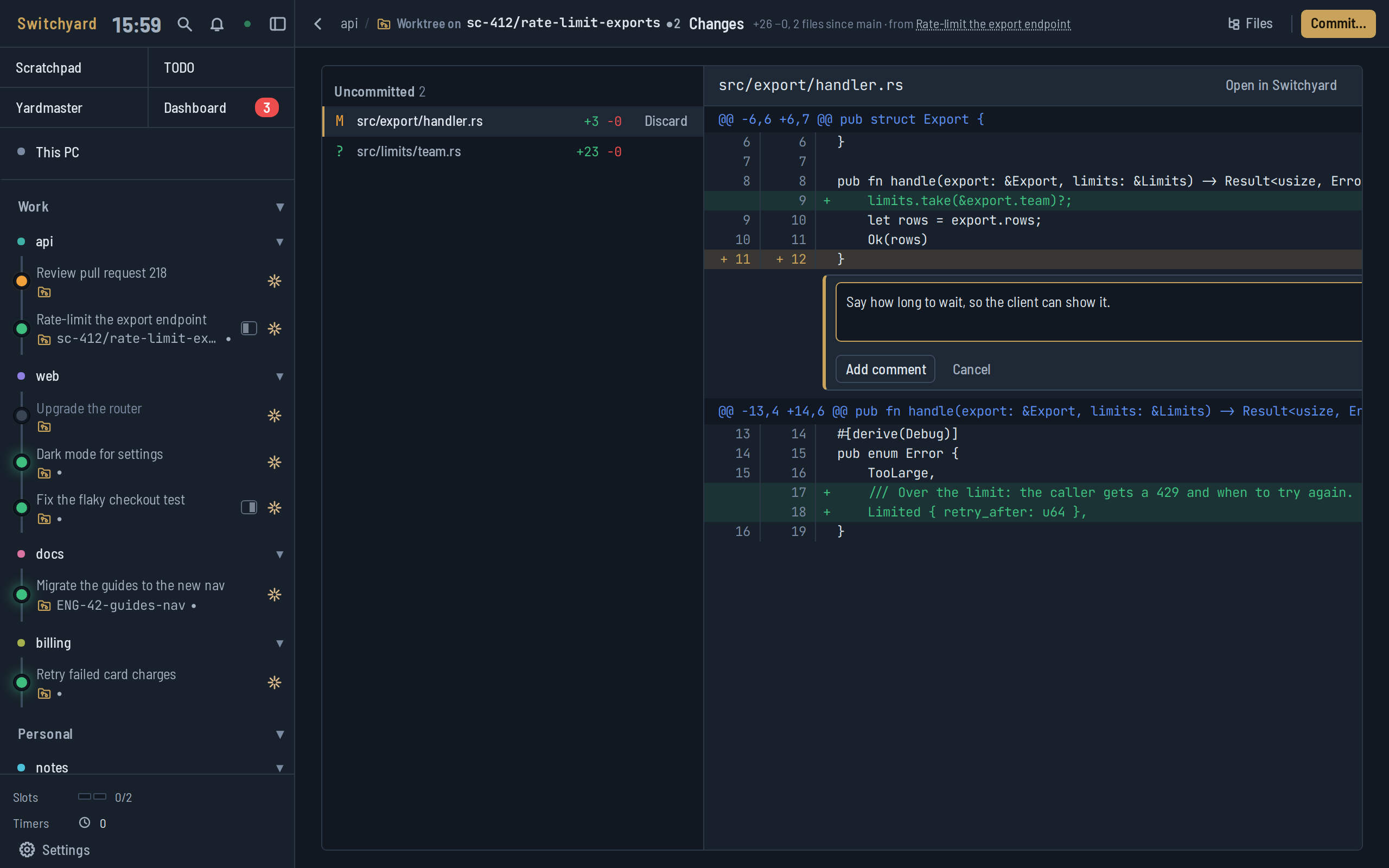
From an issue to a merged pull request.
Starting an agent is the easy part. Switchyard handles what comes before and after, so every piece of work has a branch, a review and a way to land.
- Issues from where you keep them. GitHub, GitLab, Shortcut, Linear and Jira, side by side, and local files.
- A session can follow its pull request. Reviewers' comments reach it as they're made. It answers, changes and pushes while you steer.
- Reviews drafted for you. Ask for a review of someone else's pull request and get a draft that only you can submit.
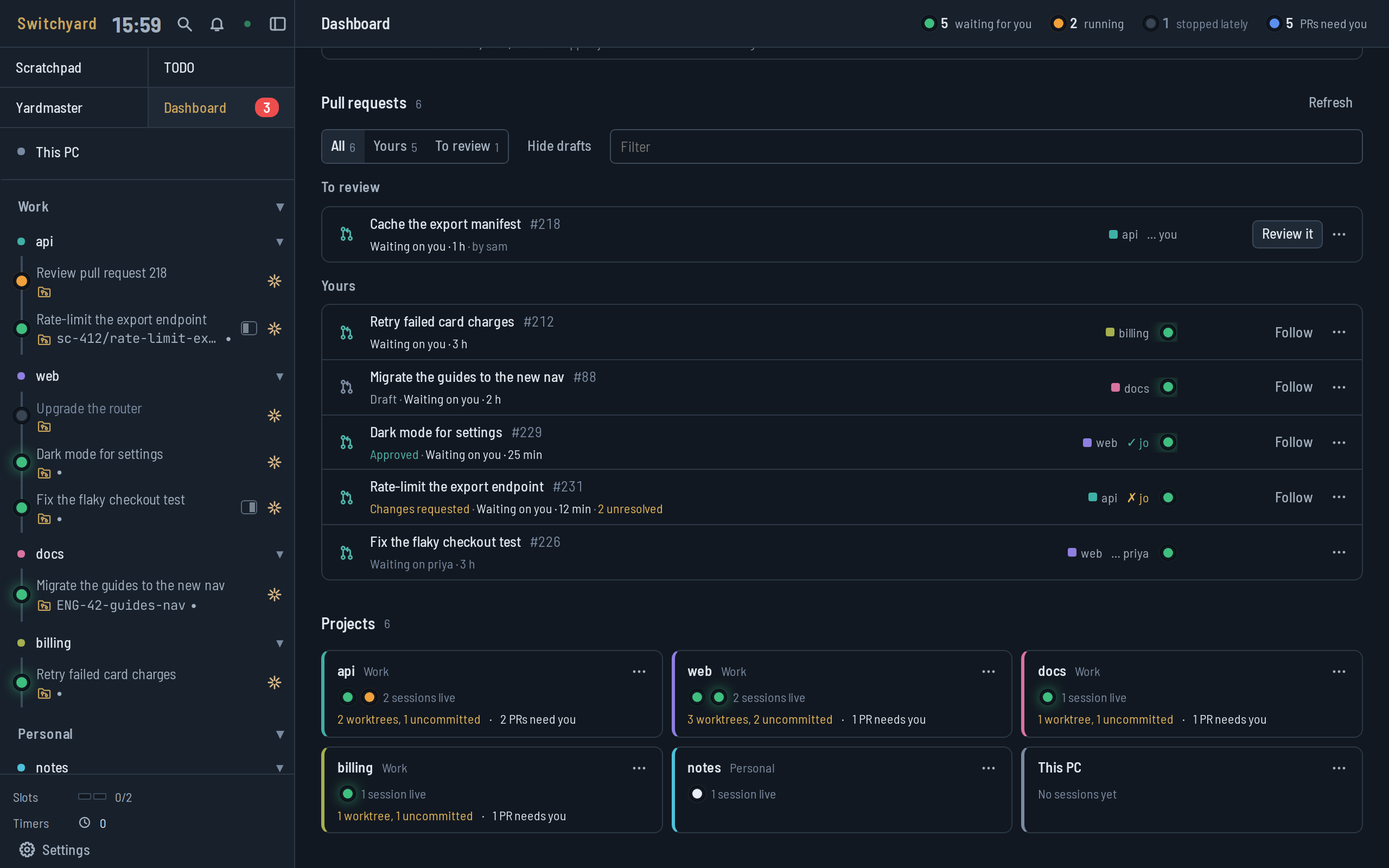
Work that carries on without you.
Switchyard never answers an agent's prompts for you. It starts the right session at the right time, and holds it to the limits you set.
- Recipes and playbooks. Plan on one model, build on another, review on a third, with gates where you want a say.
- Crews. Keep three sessions on a backlog. When one hands over, the next ready issue gets a session.
- Timers and usage lines. Sessions stop cleanly near a plan's limit and resume at the reset, while you sleep.
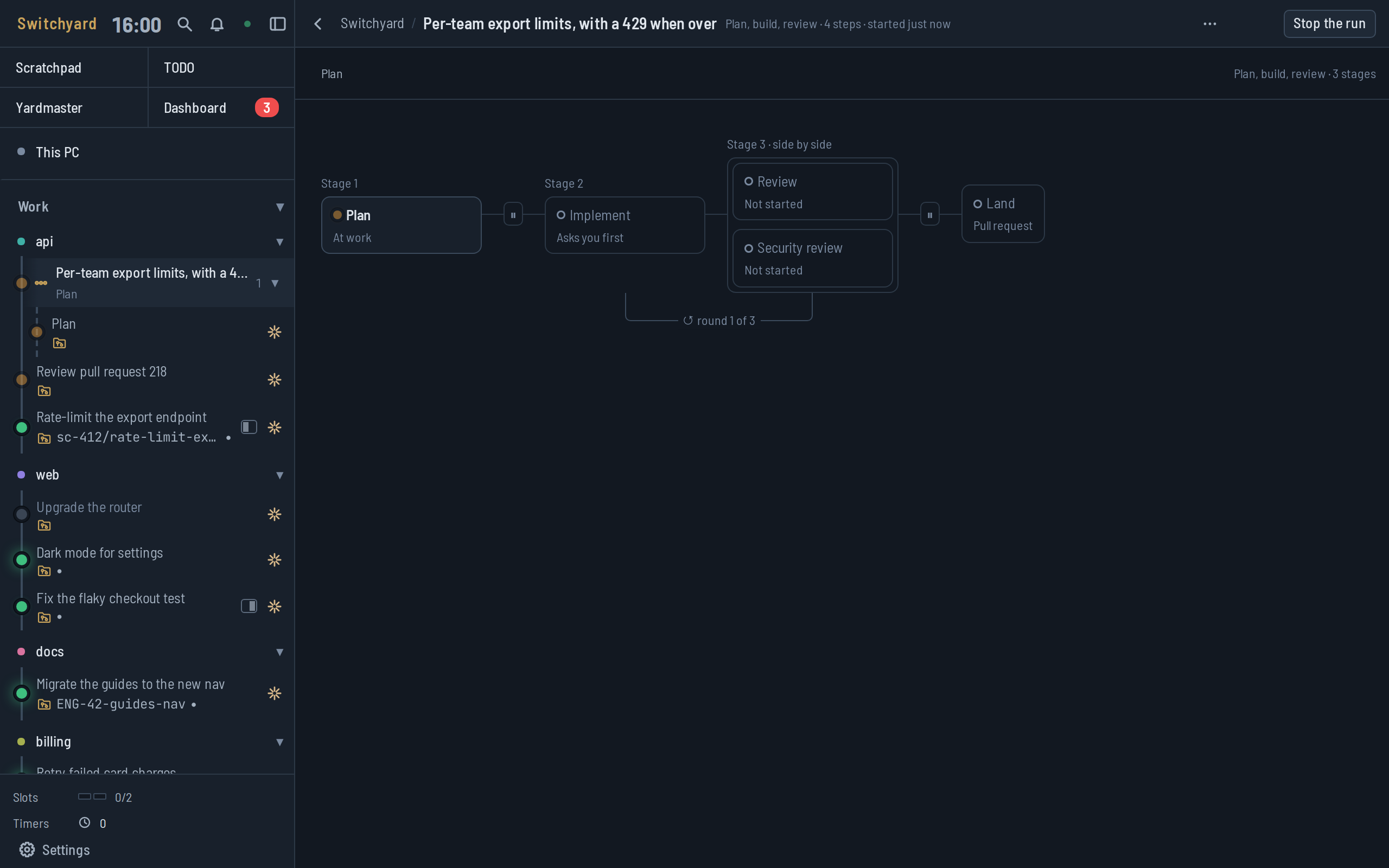
Builds and tests take turns.
Six agents that all decide to run the test suite at once will stall any computer. Switchyard counts them in.
- Slots. A command that compiles, bundles or runs tests waits for a slot, under a cap for the machine and one per project.
- Your own shells are never held back. Only what agents run is counted.
- Borrow a teammate's computer. A long test run can be split across computers that have agreed to lend. Early
- Running
cargo build --releaseapi, Rate-limit exports - Running
npm run buildweb, Dark mode for settings - Waiting
npm test -- checkoutweb, Fix flaky checkout test - Split in 3
pytestbilling, one part here and two on teammates' computers
Contained from the first prompt.
Running many agents unattended is only sensible if each one is boxed in. Every session starts inside its agent's own sandbox, switched on by Switchyard, and a repository can't loosen it.
- It writes to its checkout, not to your home folder, your SSH keys or your shell's startup files.
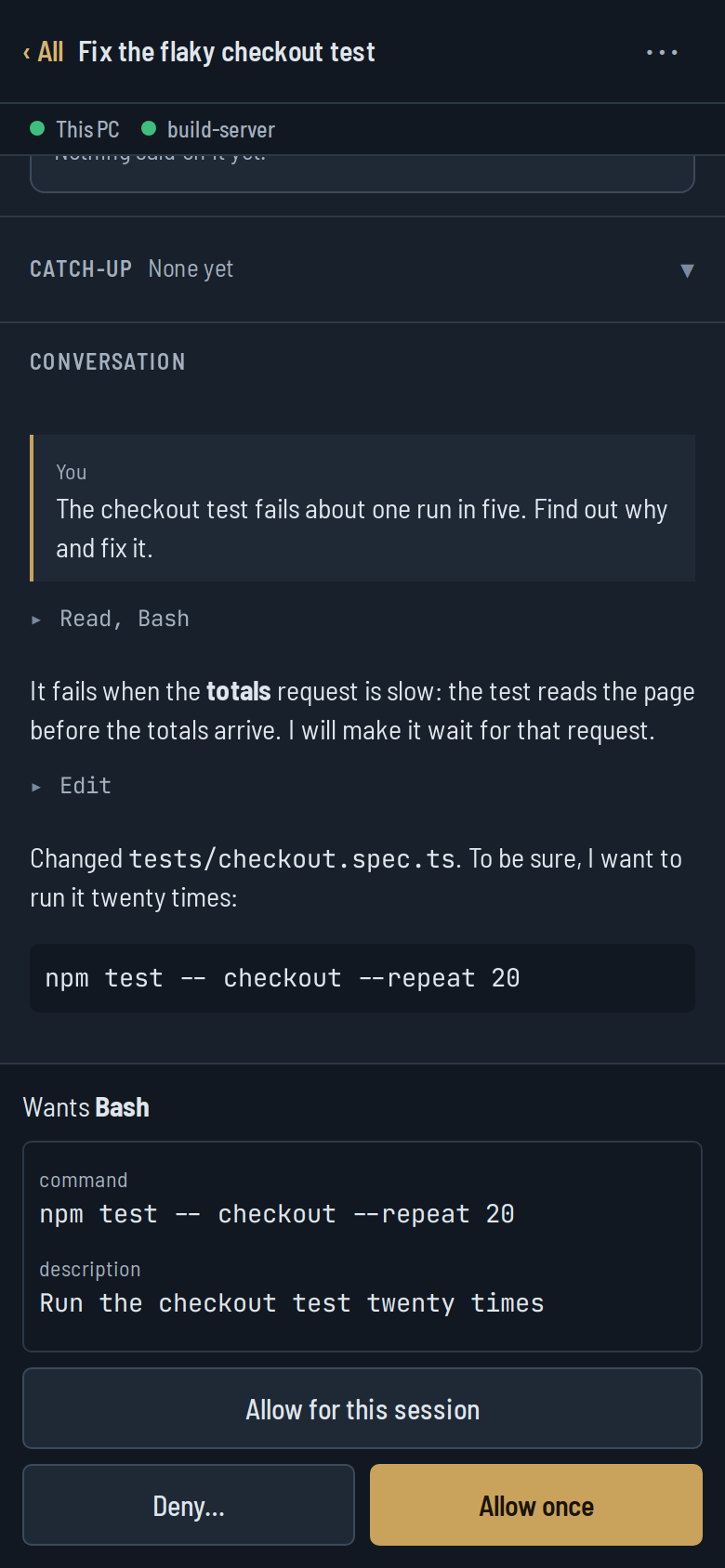
- It reaches an allowlist of hosts. For anything else the agent asks, and you allow or deny.
- It never holds your tracker tokens. They stay in your keyring, with the daemon.
Fix the flaky checkout test asks to reach registry.internal.example
“The private package feed the lockfile points at.”
Your other computers, and your pocket.
Agents don't have to live on the laptop you carry. Put them on a server, and answer them from wherever you are.
- Hosts. Add any computer you reach over SSH. Its sessions sit in the same sidebar and keep running when you disconnect.
- Phone view. See what needs you, read a catch-up, and allow, deny or answer. A push tells you when something waits.
- Nothing in between. Pairing is a QR code. There's no account, and no server of ours.
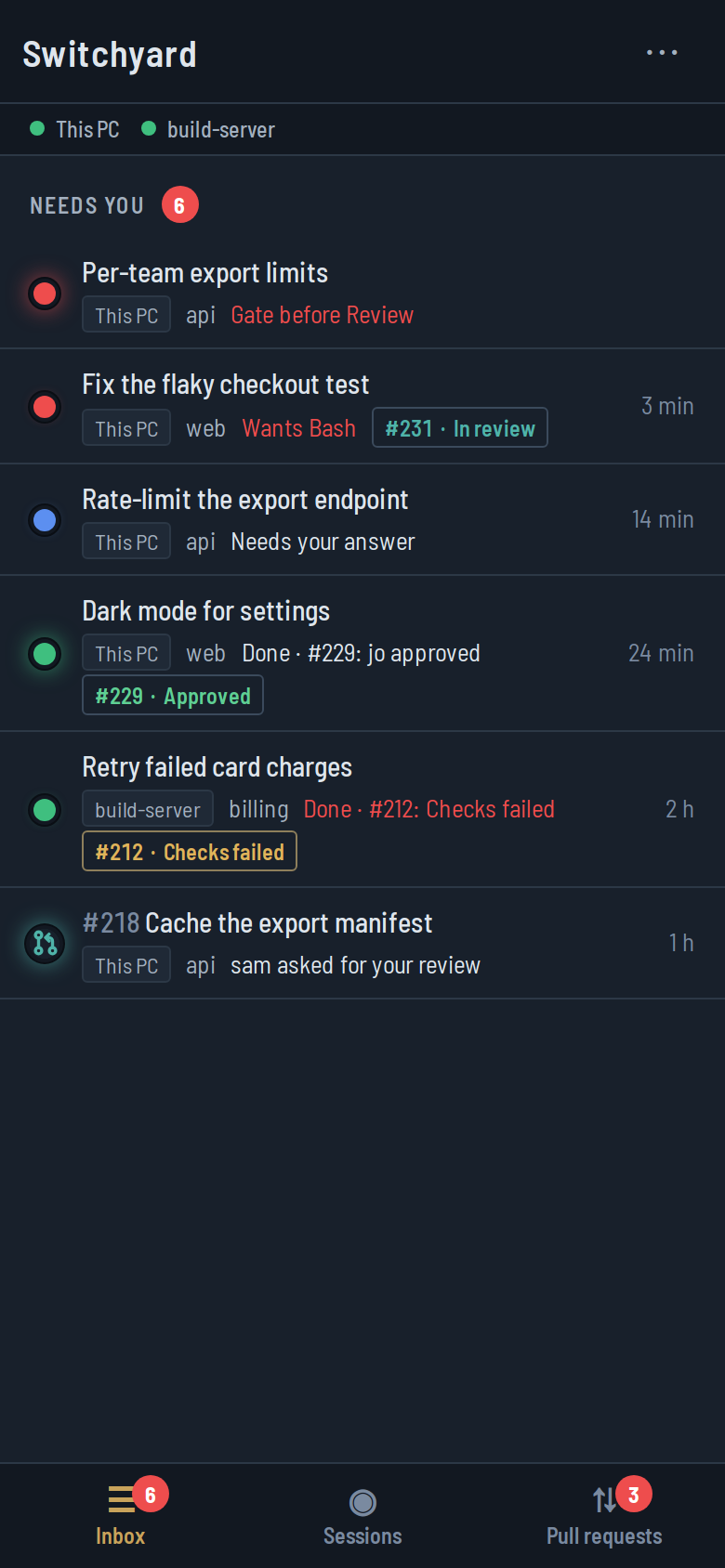
Give your agents a yard to work in.
Switchyard is free and runs on your own computers. Bring Claude Code or Codex, and your own subscription.