 Switchyard
From an issue to a merged pull request.
Agents are quick to write code and slow to get it merged, because the slow part is everything around the code: picking the work, keeping branches apart, answering review. Switchyard does that part.
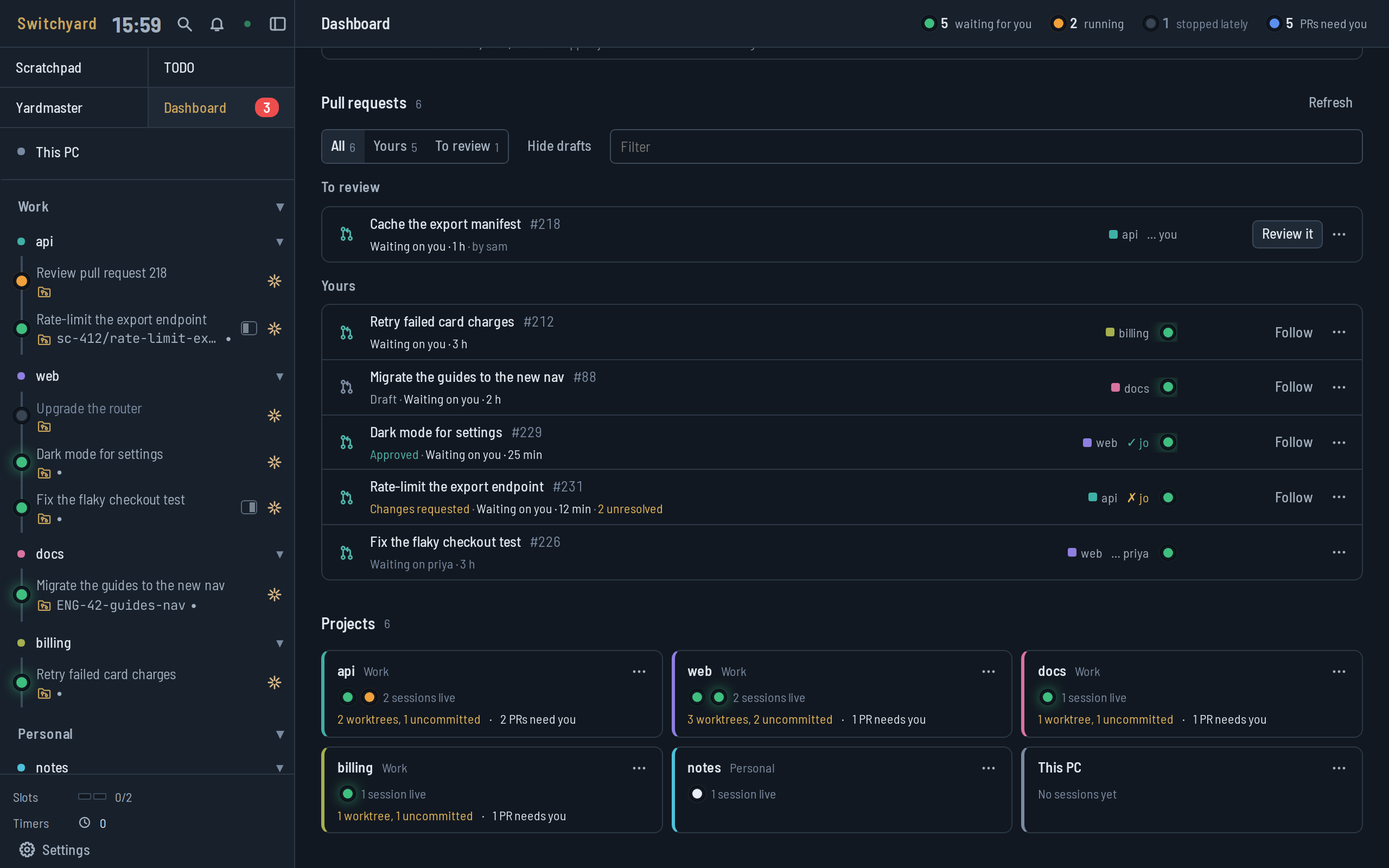
The route a piece of work takes
Pick an issue
Issues come from GitHub, GitLab, Shortcut, Linear or Jira, or from local files. Work one, the next one, or all of them at once.
It gets a worktree
Each session works in a git worktree of its own, on the issue's branch where your tracker names one. Sessions never trip over each other's files.
Review the change
Read the diff, comment on lines, and the comments go to the agent as one prompt. Commit all of it or only the files you tick.
Open the pull request
The session follows its pull request. Reviewers' comments reach it as they're made, and it answers, changes and pushes while you steer.
It lands
Pull requests stay live beside your projects, and the ones waiting on you stand out. A session can also review someone else's for you.
Issues from where you already keep them
Each project says where its issues come from. A project can read several trackers side by side, Shortcut and GitHub say, and everything built on issues works the same on each.
| Signs in with | Groups issues by | Names the branch | |
|---|---|---|---|
| GitHub | Your gh login, nothing pasted | Sub-issues | |
| GitLab | A personal access token | “Part of” lines | |
| Shortcut | An API token | Epics, and stories with sub-tasks | Yes |
| Linear | A personal API key | Parent issues and projects | Yes |
| Jira Cloud | Your email and an API token | Epics and sub-tasks | Titles lead with the key |
| Local files | Nothing | Folders of markdown in the repo |
Work this, or work all of them
Work this starts one session. Work all starts one on every issue that's ready, each in its own worktree, side by side in splits.
Investigate first
For an issue that isn't ready to build, a session reads it, diagnoses or explores, and writes up what it found.
Labels pick the approach
A rule can send issues labelled bug to your debugging skill, and ones that need triage to a playbook.
Tokens stay with Switchyard
A tracker's token is kept in your operating system's keyring and checked before it's kept. Agents reach the tracker through Switchyard's tools, and never see it.
The issue's own branch
Where the tracker names a branch for an issue, give the session sc-123 or ENG-42 and it works there.
Closed when it merges
When the pull request merges into your default branch, the issue is closed or moved to done, on whichever tracker it lives.
Every pull request, and whose move it is
The Pull requests column lists the ones you opened, including those your agents opened for you, and the ones you're asked to review. From GitHub or GitLab.
- Your move sorts first. Each row says where it stands, who it waits on and for how long: amber past a day, red past three.
- You're told once, when someone reviews, comments, pushes or approves, when a check fails, or when a conflict starts.
- Read and reply in place. The conversation and the review threads open in a side panel, with checks and conflicts.
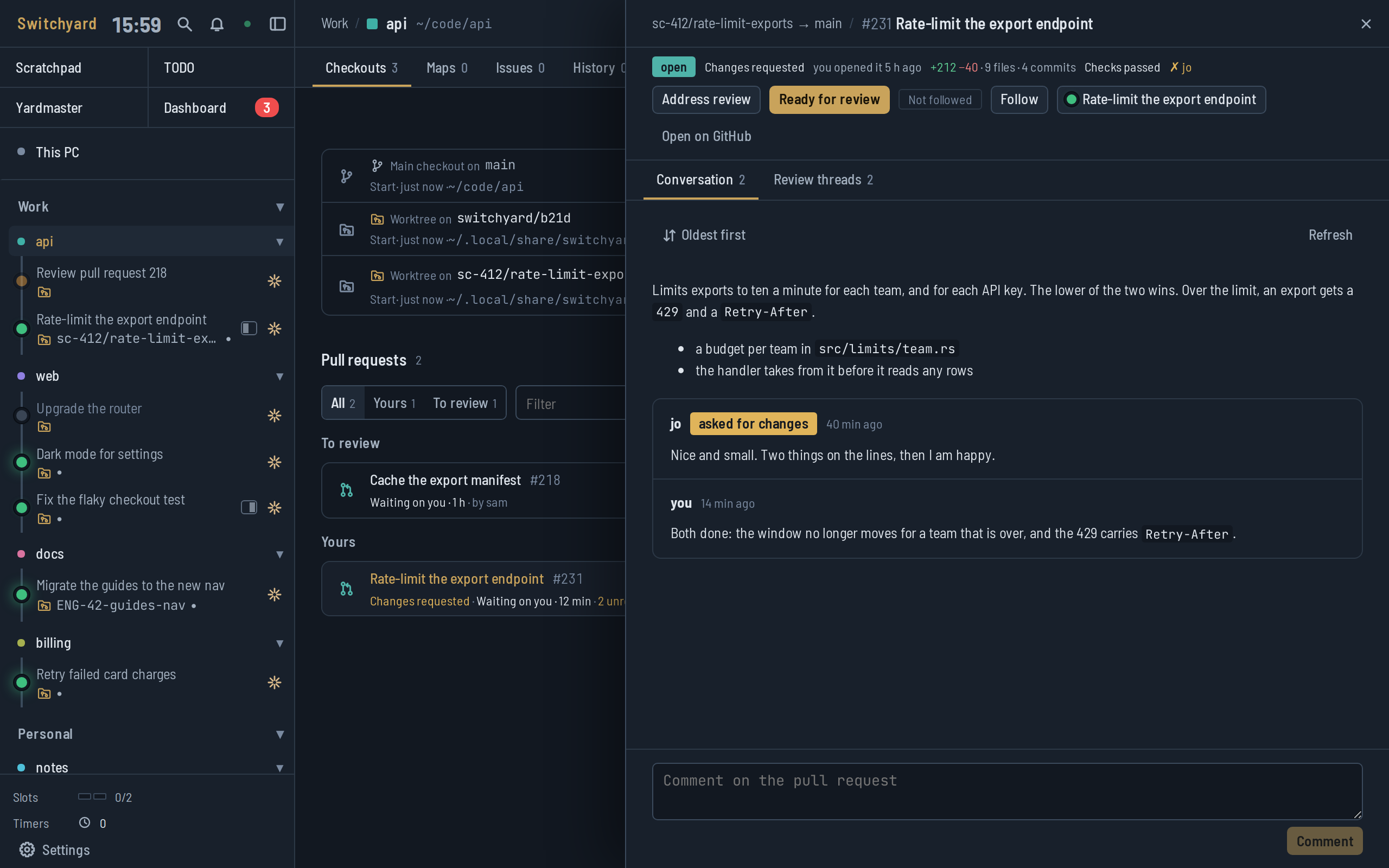
A session that sees its pull request through
Choose Follow, and the session that wrote the change stays on its pull request. Never without your say.
- Reviews reach the agent at its next idle moment: comments, verdicts, thread replies, and pushes by someone else.
- It replies in the thread, changes, and pushes, then asks for another look. Its posts go out under your account.
- It's held to a cap. After a set number of posts since your last prompt, the rest wait for Let through.
- Or walk the threads yourself. Address review takes them one at a time: Accept, Ask for changes, or Skip.
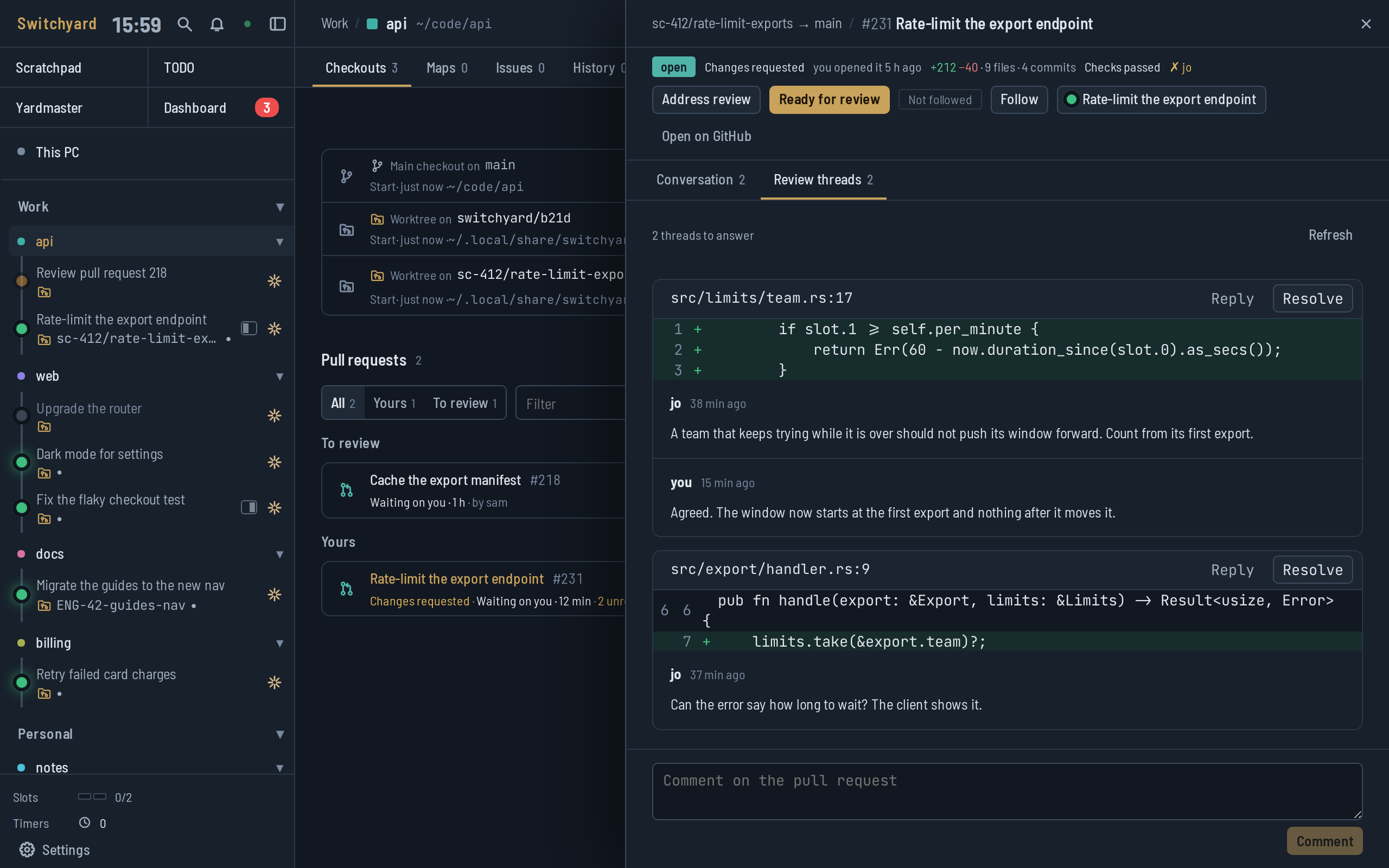
Reviews drafted for you, sent by you
Review it… on someone else's pull request starts a session on a worktree of their branch. It reads; it doesn't build on their work.
A pending review only you can see
A summary, line comments and a proposed verdict, on the forge as a draft.
You submit, never the agent
Steer it by typing, then press Submit review with the verdict you choose.
It keeps up with the author
When they ask again, it reads what changed. Your own review skill can replace the default instructions.
A crew for the whole backlog
Work all is one burst. A crew is the paced form: you set its size, and whenever fewer sessions than that are at work on the group, Switchyard starts one on the next issue that's ready.
It only starts sessions
A crew never merges into your default branch, and never stops, retries or restarts a session. It doesn't switch account or model.
Blocked issues, three ways
Wait until the blocker merges, stack on the blocker's branch, or start from an integration branch that Switchyard merges ready pull requests into.
Hours
Keep a crew on during set hours. It waits out a usage limit by itself, and carries on with the window closed.
Maps, for work that isn't specified yet
A wayfinder map is an issue that holds a destination, the decisions made so far, and tickets for what's still unknown. Switchyard shows a map's frontier, starts sessions on its tickets, and once every ticket is closed offers Reach destination: a session that produces what the map was finding its way to. Maps need the wayfinder skill installed in your agents.
Now take yourself out of the loop.
Recipes, playbooks and timers start the next session so you don't have to be there to do it.