 Switchyard
Agents are contained from the first prompt.
Running many agents unattended is only sensible if each one is boxed in. Switchyard switches on the agent's own sandbox for every session, on every start and resume, on this computer and on every host. Your agent settings aren't touched, and a repository can't loosen it.
Fix the flaky checkout test asks to reach registry.internal.example
“The private package feed the lockfile points at.”
What a session can touch
| May write | Its checkout, its scratchpad, the other projects of its group, the temp folder, and its repository's git folder, so commits in a worktree land without asking. |
|---|---|
| Never writes | The rest of your home folder. ~/.ssh. Your shells' startup files. gh's config. The repository's git hooks and git config. Your agents' own settings, logins, hooks, skills and plugins. Switchyard's files and its binary. |
| Never reads | The daemon's token and other sessions' tokens. The phone key and your phones' push keys. Your teammates. Your TODO list. The sockets that could answer another session's prompts or type into it. |
What a session can reach
The network is an allowlist. Out of the box it holds what an agent needs to do ordinary work, and nothing else gets out.
Allowed
Its provider. The forge it pushes to. The package registries: crates.io, npm, PyPI, Go's proxy, NuGet.
Refused unless you list it
Everything else, including your issue tracker and anything on your private network.
Refused always
Link-local addresses and the clouds' metadata addresses. No setting opens them.
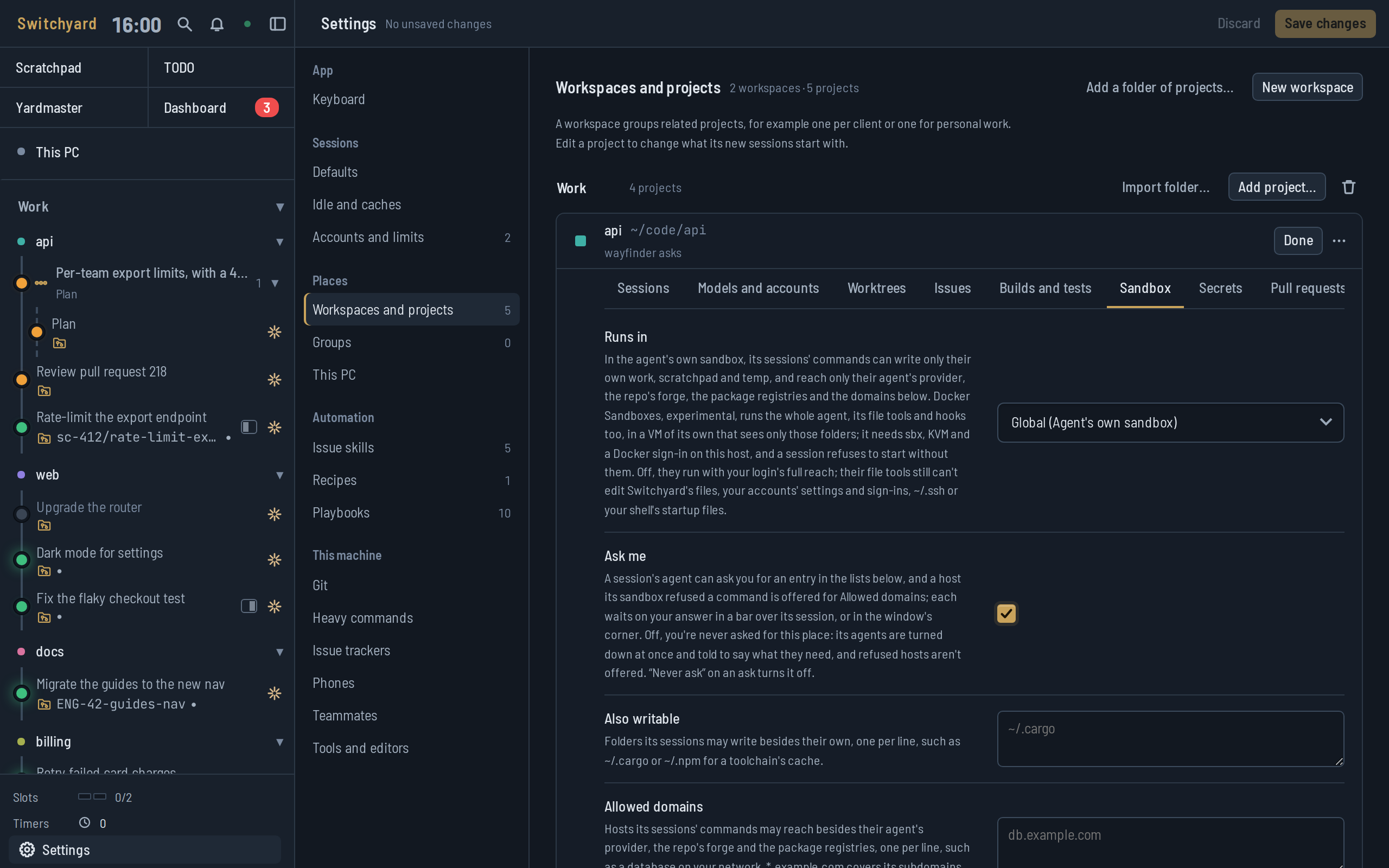
When an agent needs more, it asks
A session that hits the fence doesn't look for a way round. It asks for the port, the host, the folder or the socket, says why, and waits.
- You answer in the app: Allow for the project, Deny, or Never ask.
- What you allow is written down, in the project's Sandbox settings, where you can see everything that's been loosened and take it back.
- A project can tighten too: read-only folders, never-readable ones, blocked domains and denied commands.
- Not from the phone. Widening an agent's reach is answered at the desk.
Tokens and secrets
Tracker tokens stay with the daemon
They're kept in your operating system's keyring. An agent reaches Linear or Jira through Switchyard's tools, and the token is never in a prompt, a log, a URL or its environment.
Each session has its own token
It opens that session's own routes on the daemon and nothing else. The daemon's token never reaches a session.
Project secrets are a choice
You can give a project's sessions a named secret, such as a staging key. An agent that's given one can read it and send it to any host it may reach. Give only what you'd accept losing.
Nothing leaves for us
There's no account and no server of ours. Switchyard talks to your agents, your forge and your trackers, and to GitHub for updates.
Local only
The daemon listens on 127.0.0.1 with a random port and token, and answers only the app.
Signed updates
Every release is signed, and checked before it installs. You can check a download yourself with minisign.
What the sandbox doesn't do
A sandbox that's oversold is worse than none. These are the edges of this one.
It covers the agent's commands
With the agent's own sandbox, Claude Code's web fetches, hooks, MCP servers and its own API calls run outside it. The Docker option below covers those too.
The allowlist is itself a way out
A session that may push to GitHub can push to any public repository there. The fence narrows where data can go. It doesn't make leaving impossible.
It doesn't answer for the agent
You still approve what the agent asks to do. Switchyard never auto-answers a permission prompt.
Some things stop working
Git over SSH and ssh itself, and services on your private network unless you list them. Use HTTPS remotes.
On each system
| What it needs | |
|---|---|
| Linux | bubblewrap and socat. On Ubuntu 24.04, an AppArmor profile, set once with root. |
| macOS | Nothing. |
| Windows | One elevated setup for each agent's sandbox, which the app walks you through. |
Where the sandbox can't run, a session refuses to start and says what's missing. It never quietly runs without one. You can turn the sandbox off for a project, and that's a setting you'll see, not a fallback.
A whole VM, if you want one Experimental
A project can run each session's entire agent in a Docker Sandboxes microVM, which also covers file tools, hooks, MCP servers and web fetches. It needs Docker's sbx and KVM.
Lent test runs are walled separately
A test run lent to a teammate's computer gets a clean environment, no network for tests and no secrets. More on lending.
See it for yourself.
Start a session, ask it to read your SSH keys, and watch what happens.